How to Build a SaaS App with Next.js: Step-by-Step Guide

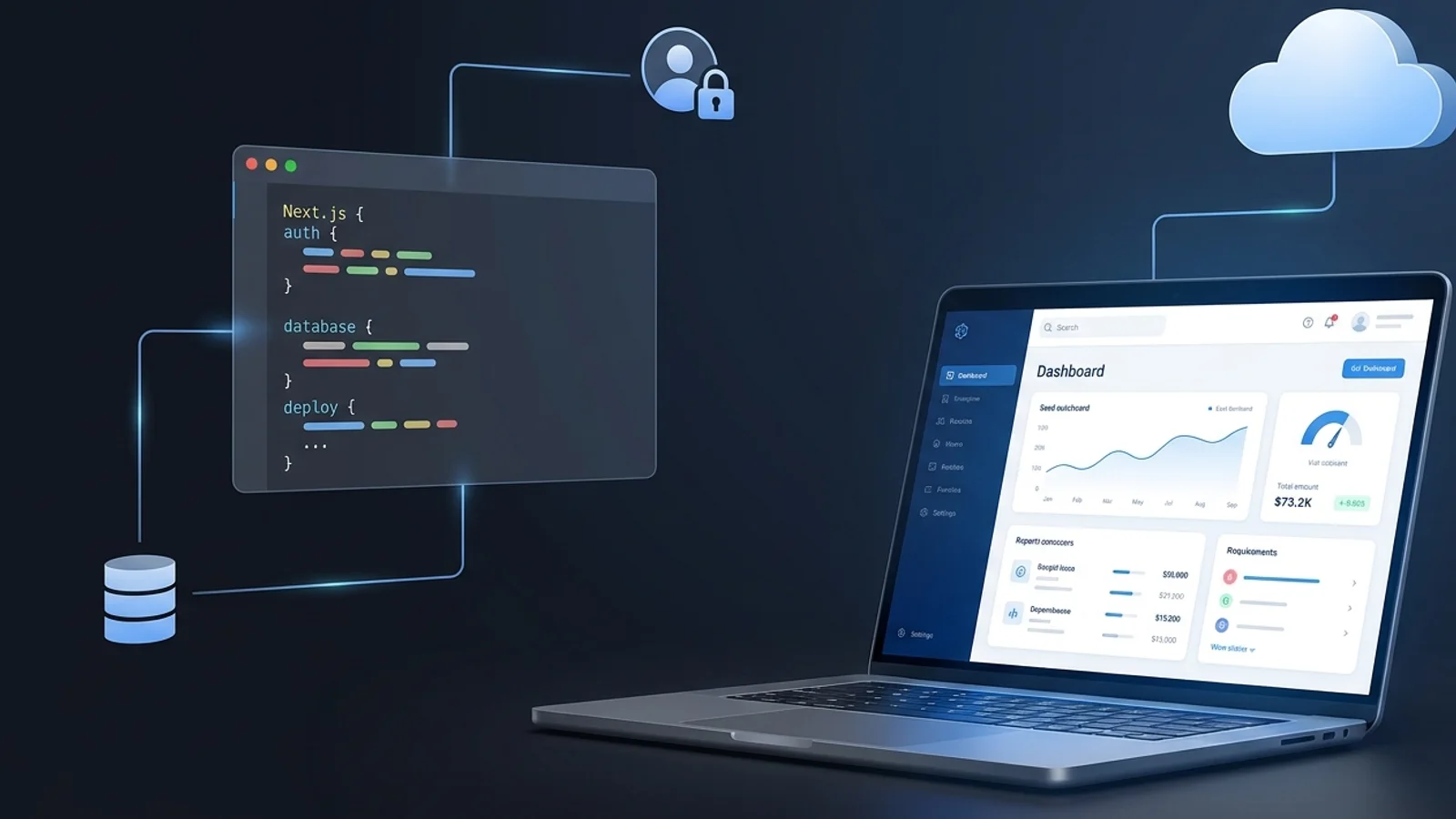
Build a SaaS app with Next.js step by step, from architecture and database design to authentication, CRUD, Server Actions, and production deployment.
Building a SaaS app sounds exciting if you build proper plan and development environment.
You are not just building a homepage and a dashboard. You are building a product that needs structure, authentication, a database, protected routes, CRUD operations, environment variables, server-side logic, and deployment that actually works outside your local machine. That is the point where many tutorials stop being helpful. They show one isolated feature, but they do not show how everything connects.
That is exactly why Next.js has become such a strong choice for modern SaaS development. Instead of stitching together too many disconnected tools, you can build the frontend, backend logic, routing, server-rendered pages, APIs, and server actions inside one app. That makes it much easier to move from idea to working product without losing control of the codebase.
In this guide, you will learn how to build a SaaS app with Next.js from a practical full-stack perspective. We will walk through the architecture, the tech stack, the development flow, and the build order that actually makes sense when you want to ship a real product.
This article is also the pillar of the full series, so the goal here is simple: give you the complete roadmap first, then move you into each implementation step in the right order.
Why Next.js Is a Strong Choice for SaaS Development
When developers ask whether Next.js is a good fit for SaaS, the real question is usually bigger than the framework itself. What they want to know is whether it can handle the full shape of a SaaS product without becoming messy too quickly.
The answer is yes, and the reason is not hype. It is practicality.
A SaaS app needs more than a polished interface. It needs user flows, protected content, server-side operations, database access, dynamic rendering, and a deployment process that does not become painful every time you push a change. Next.js gives you a clean way to handle those concerns inside one project.
Full-stack development in one framework
One of the biggest strengths of Next.js is that it removes the feeling that you are building two completely separate applications. You can create the UI, define routes, add backend handlers, run server-side code, and manage form mutations without jumping between multiple stacks.
For many SaaS products, Next.js can handle the application’s backend-for-frontend layer directly, while more complex systems may still use dedicated services for specialized backend workloads. That matters a lot in SaaS development. The moment users sign in and start interacting with real data, the frontend and backend stop being separate conversations. They become one connected system. Next.js works well because it lets you build that system in one place.
You can use the App Router for page structure, route handlers for API-like endpoints, and Server Actions for direct data mutations. Instead of overcomplicating the architecture from day one, you can keep the project focused and ship faster.
Fast iteration for SaaS MVPs
Most SaaS products do not begin as huge platforms. They begin as a simple solution to one problem.
That means your first version needs to move quickly. You need to validate the idea, test the onboarding flow, collect feedback, and improve the product without spending months wiring together unnecessary complexity.
Next.js is especially useful here because it supports fast iteration without forcing you into shortcuts that fall apart later. You can launch a lean MVP, then keep building on the same foundation as the product grows.
Better performance and SEO out of the box
A real SaaS product usually has two sides.
The first side is the product itself: dashboards, forms, settings, and account pages.
The second side is the public-facing experience: homepage, pricing page, feature pages, blog content, documentation, and onboarding content.
Next.js supports both extremely well. You can build SEO-friendly marketing pages and a dynamic logged-in app in the same codebase. That is a major advantage for SaaS teams because it keeps branding, product, and content aligned.
Smooth deployment with modern tooling
Deployment becomes a serious topic much earlier than many developers expect. It is one thing for an app to work locally. It is another thing for it to work in production with environment variables, authentication callbacks, database connections, and real users.
This is another area where Next.js makes life easier. The development flow connects naturally with modern hosting platforms, especially when your goal is to deploy early and improve often.
And that brings us to the next question.
Once you choose Next.js, what exactly does a real SaaS app need before you start building features?
What a Real SaaS App Needs Before You Start Building
A lot of developers start SaaS projects by building the dashboard first. That feels productive because you can see something on the screen quickly.
The problem is that a SaaS app is not defined by how the dashboard looks. It is defined by how the system works.
If you do not think about the core pieces early, you usually end up rewriting routes, changing your database schema, and adding authentication in painful ways later. It is much better to understand the moving parts before writing too much code.
Authentication and user access
Almost every SaaS app needs a secure way for users to create an account, sign in, sign out, and access their own data.
That sounds obvious, but the deeper question is how access should work after login. Does every user have the same permissions? Will the app support teams later? Are there admin-only sections? Should certain pages be blocked unless a subscription is active?
These questions affect the way you build the app from the beginning.
A database for storing product data
SaaS products are built around stored data. That data may look different depending on the product, but the need stays the same.
You may need to store users, profiles, plans, workspaces, projects, client records, documents, settings, or activity history. Once data becomes central, your database design becomes one of the most important parts of the product.
CRUD operations for core features
Most SaaS apps are useful because users can create, view, update, and delete something important.
That may be projects in a project management tool, invoices in a billing tool, tasks in a team app, or content in a publishing platform. Whatever the product does, the core workflow usually comes down to CRUD operations.
That is why CRUD is not just a technical concern. It is part of the business logic of the product.
Billing or subscription logic
Not every SaaS app launches with billing on day one, but most commercial SaaS products move in that direction.
That means you should at least be aware of future needs like pricing tiers, subscriptions, trials, usage limits, account status, and billing provider integration. You do not need to implement all of it immediately, but you do need to build with that future in mind.
Deployment and environment management
A lot of beginner projects feel complete when the main feature works locally.
But production has different rules. Your app needs secure environment variables, correct callback URLs, stable database connections, and deployment settings that match the services you are using. Ignoring this early often creates the most frustrating bugs later.
Now that the moving parts are clear, the next step is choosing a stack that can handle them without creating unnecessary complexity.
Recommended Tech Stack to Build a SaaS App with Next.js
The best tech stack is not the one with the most tools. It is the one that helps you build the product cleanly and keep momentum.
For a modern SaaS app with Next.js, the most practical stack is usually one that stays close to the framework, supports type safety, and makes common product features easier to implement.
Next.js for frontend and backend flow
Next.js is the core of the stack. It gives you routing, layouts, server rendering, route handlers, and server actions in one framework. That makes it a strong foundation for both marketing pages and product logic.
For SaaS development, this is a major advantage because you do not need to split the project too early unless there is a real reason to do so.
TypeScript for safer development
SaaS apps grow faster than you expect. The number of pages, models, forms, utilities, and shared data shapes increases quickly.
That is why TypeScript is worth using from the beginning. It helps reduce mistakes, improves maintainability, and makes the codebase easier to understand as the app becomes more complex.
Tailwind CSS for UI development
For many SaaS products, Tailwind CSS is a practical choice because it helps you build interfaces quickly without constantly switching between markup and separate stylesheet layers.
It works especially well for dashboards, auth pages, pricing sections, settings screens, and internal tools where speed and consistency matter more than overly custom visual systems in the early stage.
Prisma and PostgreSQL for database work
This is one of the strongest combinations for SaaS development.
PostgreSQL gives you a reliable relational database that fits well with many SaaS products. Prisma gives you a cleaner workflow for defining models, managing schema changes, running migrations, and querying data from your Next.js app.
For developers building a real product, that developer experience matters. The easier it is to understand your schema and interact with data safely, the easier it becomes to move faster without breaking things.
Auth.js for authentication
Authentication is one of the first serious systems in a SaaS app. If it is handled poorly, almost everything else becomes harder.
Using a dedicated solution like NextAuth helps you avoid rebuilding auth flows from scratch. That includes login handling, session management, provider setup, and protected access patterns.
Vercel for deployment
There is no reason to delay deployment thinking until the end of the project.
Vercel fits naturally into the Next.js workflow and makes it easier to deploy, test, preview changes, and move into production when the app is ready. That is especially helpful when you want fast release cycles and fewer infrastructure distractions.
Optional tools you can add later
As your SaaS app grows, you can add more tools around the core stack.
You may add Stripe for billing, an email service for onboarding and password reset flows, monitoring for error tracking, and analytics for product insights. These are important, but they should support the product, not distract from the first version.
The stack gives you the building blocks, but tools alone do not create a stable app. The next thing that matters is architecture.
Plan the SaaS Architecture Before You Build Features
This is where a lot of projects either become clear or become chaotic.
It is easy to jump straight into code and feel productive. But if you do not decide how the app should behave, who the users are, what data matters, and how those pieces connect, you will spend more time cleaning up the app than actually building it.
Architecture does not need to be overengineered. It just needs to be intentional.
Define the core problem your SaaS solves
Every strong SaaS app is built around one central workflow.
Before creating random pages, define the main outcome users are paying for. Are they managing projects, tracking invoices, writing content, automating a workflow, collecting leads, or organizing team activity?
Your app structure should follow that core value. If the main problem is unclear, the product usually turns into a dashboard with no clear purpose.
Identify the main entities in your database
Once the product problem is clear, define the main data entities.
In many SaaS products, these include things like User, Workspace, Subscription, Project, Task, Client, or Settings. The exact names change depending on the niche, but the pattern stays the same.
This is important because your pages, APIs, permissions, and database logic will all depend on these core entities.
Think about single-user vs multi-tenant SaaS
Some SaaS apps are simple personal tools. Others are team-based products where multiple users belong to the same workspace or organization.
That is a major architectural decision.
If your product is multi-tenant, you need to think carefully about how data is scoped. A user should only access the records that belong to their workspace or organization. That affects the schema, the queries, the authorization logic, and the route structure.
Plan the user journey from signup to dashboard
A SaaS app is easier to build when you know the exact flow a new user should follow.
For example, the flow may look like this:
A visitor lands on the homepage. They read the product value. They sign up. Their account is created. They are redirected into the app. They create their first record. They return later. Eventually, they upgrade.
This simple path helps you prioritize the actual build order. Instead of building everything at once, you build the journey that matters most.
Once the architecture is clear, the implementation becomes much more straightforward.
Step-by-Step Process to Build a SaaS App with Next.js
Now we move from planning into execution.
This is the roadmap section that connects the full series. The goal is not to go deep into every implementation detail yet. The goal is to show the right build order so you do not waste time bouncing between unrelated tasks.
Step 1: Create the Next.js project
The first step is to initialize the app correctly.
That means setting up a clean Next.js project with the right defaults for a modern full-stack workflow. In most cases, that means using the App Router, TypeScript, and a clean base structure instead of starting with unnecessary clutter.
A good project setup creates momentum. A weak setup creates friction that follows you into every later step.
Read next: Create Next.js Project
Step 2: Set up a clean and scalable folder structure
Once the project exists, the next priority is structure.
A SaaS app can become messy very quickly if pages, components, business logic, helpers, and database code all end up mixed together. That is why folder structure is not just about neatness. It is about maintainability.
You want a structure that makes it obvious where routes live, where shared components belong, where server logic should go, and where your database setup is managed.
Read next: Next.js Folder Structure
Step 3: Configure environment variables early
Before connecting services, configure environment variables properly.
This includes things like your database connection string, authentication secrets, provider keys, and app URLs. These values should never be hardcoded in the app. They need to be managed cleanly in development and production.
This may feel like a small step, but it prevents many painful production issues later.
Read next: Environment Variables
Step 4: Connect Prisma to your database
Now the app is ready to work with real data.
This is where Prisma becomes a key part of the stack. You define your schema, create the main models, run migrations, and generate the Prisma client so your app can safely interact with the database.
This step is where the SaaS app begins to take shape beyond UI.
Read next: Prisma with Next.js
Step 5: Build CRUD APIs for your main features
With the database connected, the next step is building the operations that make the app useful.
Most SaaS products revolve around records users can create, view, update, and delete. That is the heart of the product experience.
At this stage, you begin wiring dashboards and user actions to real database behavior instead of placeholder data.
Read next: CRUD APIs
Step 6: Add authentication and protect app routes
Once the app starts working with user data, authentication becomes non-negotiable.
You need a secure login flow, session handling, and route protection so users can only access what belongs to them. If the app includes teams or organizations, this becomes even more important.
This is the step where the app begins feeling like a real product instead of a demo.
Read next: NextAuth Authentication
Step 7: Use Server Actions where they simplify the app
Modern Next.js gives you a cleaner way to handle many server-side mutations.
Server Actions are especially useful for forms and internal dashboard workflows where you want to submit data, validate it, update the database, and return a result without building unnecessary client-side complexity.
That said, APIs still matter. Public endpoints, third-party integrations, mobile clients, and webhooks often still need route handlers. The point is not to choose one blindly. The point is to use the right tool for the right job.
Read next: Server Actions
Step 8: Deploy the app and test production behavior
The last major step is deployment.
This is where you move beyond local development and verify that the app works in a real environment. That includes checking environment variables, authentication callbacks, database connectivity, protected routes, and build stability.
A SaaS app is not finished when it works on localhost. It is finished when it behaves correctly in production.
Read next: Deploy Next.js to Vercel
That completes the high-level build path. Now let’s make that path more concrete by looking at how the project should be structured.
Example Folder Structure for a Next.js SaaS App
Once the roadmap is clear, developers usually ask the same follow-up question: what should the project actually look like?
The answer depends on the product, but a clean SaaS-oriented structure usually keeps routing, UI, logic, and database code separated enough to stay maintainable as the app grows.
Here is a simple example:
app directory
This is where your route structure lives.
You can separate public pages from auth pages and dashboard pages using route groups. That makes the project easier to reason about because the structure reflects the actual user experience.
components directory
Reusable UI elements belong here.
Buttons, forms, cards, modals, navigation, tables, and layout pieces should not be repeated across route files. A shared components directory helps keep the app consistent and easier to update.
lib directory
This is a useful place for shared utilities.
You can keep helper functions, validation logic, authentication configuration, database utilities, and reusable server-side helpers here. It becomes the support layer of the app.
actions directory
If you are using Server Actions, a dedicated directory keeps them easier to find and maintain.
As the app grows, this becomes much cleaner than scattering action logic across unrelated files.
prisma directory
This is where your Prisma schema and migration-related setup usually live.
Keeping database configuration isolated makes it easier to manage schema evolution and understand where the data layer begins.
types and hooks
Shared types and hooks deserve their own place.
This helps prevent duplication and keeps important logic out of random route files where it becomes hard to reuse.
A clean folder structure helps your code stay readable, but structure alone is not enough. The next thing that defines the app is the data model.
Example Database Models for a SaaS App
A SaaS app becomes much easier to build when the database model is clear.
This does not mean you need to design every table in perfect detail on day one. But you do need to understand the main relationships early, because almost every part of the app depends on them.
User model
The User model usually handles identity-related data.
It often connects to authentication records, profile information, account settings, and any business records that belong to a specific person.
Even in a small SaaS app, the User model usually becomes one of the most connected parts of the schema.
Workspace or organization model
If your SaaS app supports teams, this model becomes central.
A workspace or organization can act as the container for members, permissions, projects, billing state, and shared records. This is a common pattern in multi-user SaaS products because it creates a clean boundary for data ownership.
Subscription model
If the product is paid, the subscription model often tracks the commercial side of the account.
That can include the plan, status, billing period, renewal state, and external billing provider references. Even if billing is added later, it helps to think about where that data will live.
Product-specific model
This is the part that changes based on the type of SaaS product.
For one app it may be Projects. For another it may be Tasks, Invoices, Clients, Forms, Documents, or Content Items. This is the model users interact with most often, which means it usually drives the most important pages and APIs in the app.
Why data modeling early saves time later
Bad data modeling creates problems everywhere.
It makes CRUD logic harder. It complicates permissions. It creates confusing queries. It forces strange workarounds in the UI.
Good data modeling does the opposite. It makes the rest of the app feel more natural to build.
Once the data model is clear, the next practical question is how those data changes should happen inside a modern Next.js app.
Route Handlers vs Server Actions in a Next.js SaaS App
This is one of the most common architecture questions in modern Next.js development.
Should you build everything with APIs? Should you switch fully to Server Actions? Which one is better for SaaS?
The most practical answer is this: many real SaaS apps use both.
When API routes are the better choice
API routes or route handlers are still the right choice in several situations.
If your app needs public endpoints, third-party integrations, webhooks, or support for other clients like mobile apps, APIs remain extremely useful. They also make sense when you want a clearly separated endpoint layer for specific workflows.
When Server Actions are the better choice
Server Actions are especially helpful for internal app interactions.
If a logged-in user submits a form inside the dashboard to create a project, update a profile, or change settings, Server Actions can simplify the flow significantly. They reduce boilerplate and keep the mutation logic closer to the actual feature.
Why many SaaS apps use both
In practice, a balanced approach often works best.
You might use Server Actions for internal form-driven workflows and route handlers for webhooks, integrations, and external communication. That gives you simplicity where you want speed and flexibility where you need a more traditional endpoint model.
So the question is not which one wins. The question is which one fits the specific job.
With architecture, data, and mutation patterns defined, it becomes much easier to avoid the common mistakes that slow projects down.
Common Mistakes to Avoid When Building a SaaS App with Next.js
A lot of SaaS projects do not fail because the framework is wrong. They fail because the build process becomes messy.
The good news is that many of those mistakes are predictable.
Starting without a clear database design
If you build too much UI before understanding your main models, you usually end up rewriting the app later. Pages begin to depend on data structures that no longer make sense, and the API layer becomes harder to clean up.
Mixing business logic directly into components
This is one of the fastest ways to create a codebase that feels difficult to maintain.
When validation, permissions, database operations, and UI logic all live in the same place, the app becomes harder to test, harder to reuse, and harder to understand.
Delaying authentication too long
Some developers postpone auth because it feels like a separate concern.
But once user access matters, auth affects everything: routing, database queries, redirects, protected screens, and permissions. Adding it too late often means refactoring large parts of the app.
Ignoring environment setup
It is easy to underestimate environment variables until the first deployment breaks.
Wrong callback URLs, missing secrets, broken database strings, and mismatched production settings are all common issues that can be reduced by handling configuration properly from the beginning.
Overbuilding the MVP
This is one of the most common product mistakes.
Instead of building the single workflow users care about most, developers often try to launch with every possible feature. That slows shipping, complicates the architecture, and makes validation harder.
Treating deployment as the final afterthought
Deployment is not just the final button click. It is part of the build process.
If your app depends on auth, databases, and environment-specific configuration, production behavior should be considered early so you do not discover critical issues too late.
Avoiding these mistakes keeps the project cleaner, but there is one more stack decision many developers want clarity on before moving forward.
Prisma vs Drizzle for Next.js SaaS Projects
This comparison deserves its own full article, but it is worth touching on here because ORM choice affects the developer experience from the beginning.
Why Prisma is often the easier starting point
For many developers, Prisma is the easier way to get moving.
It provides a clear schema workflow, a strong migration experience, and a developer-friendly way to work with relational data. If your goal is to build a SaaS MVP quickly without getting too deep into SQL decisions early, Prisma is often a comfortable starting point.
Why some developers prefer Drizzle
Drizzle appeals to developers who want a more SQL-oriented style and tighter control over the query layer.
For some teams, that closer-to-SQL workflow feels more transparent and flexible.
Which one should you choose for a SaaS app
If you want a practical answer, this is it:
For many Next.js SaaS projects, Prisma is the easier place to start because it helps you move quickly with less friction. Drizzle becomes a strong option if you prefer a more SQL-first workflow and want more direct control over the way queries are expressed.
Read next: Prisma vs Drizzle
Once the foundation is working, the next challenge is turning the app from a working MVP into something that feels stable for real users.
How to Turn Your Next.js SaaS MVP Into a Production App
Finishing the first version of a SaaS app is a big step. But production readiness is not just about deploying the app. It is about making the product reliable, scalable, and usable by real customers.
Add billing and plan management
Once the core workflow is validated, billing usually becomes part of the product strategy.
This may include pricing plans, feature gating, trials, renewals, and plan-based restrictions. These should be added carefully so they support the product experience instead of disrupting it.
Add roles and permissions
If the app is used by teams, access control becomes much more important.
Some users may be owners, some members, some admins, and some read-only users. Defining these roles clearly helps protect data and create a better product experience.
Improve performance and caching
As data grows, performance issues become easier to notice.
That is where pagination, query optimization, caching, and selective rendering start making a real difference. A product that feels fast is easier to trust.
Add logging and monitoring
Local debugging is not enough once users are active.
You need visibility into failed actions, broken pages, server issues, and unexpected runtime errors. Monitoring becomes part of the product quality process.
Improve onboarding and email flows
The product experience is not limited to the dashboard.
Welcome emails, account verification, password reset, invite flows, and onboarding guidance all help users move from signup to value faster.
Keep the architecture simple as long as possible
This is one of the most important lessons in SaaS development.
Production-ready does not mean overbuilt. It means stable, understandable, and easy to improve. Many successful products grow by keeping the architecture simple for as long as possible.
At this point, the roadmap is complete. The final step is knowing how to move through the full learning path in the right order.
Recommended Learning Path for This SaaS Series
The easiest way to build a SaaS app without getting lost is to follow a clear sequence.
This series is designed to do exactly that.
Week 1: Foundation
Start with the big picture, then set up the base project correctly.
Build SaaS App with Next.js
Create Next.js Project
Next.js Folder Structure
Week 2: Backend setup
Once the structure is ready, connect the core backend pieces.
Environment Variables
Prisma with Next.js
CRUD APIs
Week 3: Security and modern mutations
Now make the app secure and improve how data is handled.
NextAuth Authentication
Server Actions
Week 4: Production and stack decisions
Finish by preparing the app for deployment and comparing the ORM choices with more context.
Deploy Next.js to Vercel
Prisma vs Drizzle
This order keeps each topic connected to the next so you are not learning isolated concepts. You are building one real SaaS app step by step.
Conclusion
Building a SaaS app with Next.js becomes much easier when you stop looking at it as a collection of separate features and start seeing it as one connected system.
The real goal is not just to create pages. The goal is to build a product where project setup, folder structure, environment variables, database design, CRUD logic, authentication, server-side mutations, and deployment all work together cleanly.
That is why Next.js is such a strong fit for modern SaaS development. It gives you a practical full-stack foundation without forcing you to manage too many disconnected parts too early.
If you follow the right build order, the process becomes much more manageable. You set up the project. You organize the structure. You connect the database. You build real product logic. You secure the app. You deploy it. And step by step, the SaaS app becomes real.
The best next move is to start building the foundation properly.
Continue with Create Next.js Project and then follow the rest of the series in order so every step connects naturally to the next.
Frequently Asked Questions
Is Next.js good for building a SaaS app?
Yes. Next.js is a strong choice for SaaS development because it supports frontend and backend logic in one framework, works well with authentication and databases, and fits modern deployment workflows.
What do I need to build a SaaS app with Next.js?
At minimum, you need a Next.js project, a clean folder structure, environment variables, a database such as PostgreSQL, an ORM such as Prisma, authentication, and a deployment workflow.
Should I use Route Handlers or Server Actions in Next.js?
Use Server Actions for internal form-based workflows where you want simpler server-side mutations. Use API routes when you need public endpoints, external integrations, webhooks, or support for other clients.
Is Prisma a good choice for a Next.js SaaS app?
Yes. Prisma is a strong choice for many SaaS apps because it gives you a clean schema workflow, migration support, and a developer-friendly way to work with relational data.
Can I build a SaaS MVP with Next.js only?
You can build most of the product with Next.js, but you still need supporting services like a database, authentication, and hosting to make the app production-ready.